

Invoice on the spot. Get paid before you leave the driveway.
Build a clean, professional invoice in a few taps, text the customer a link, and take the card right there. Invoice Sidekick is made for independent contractors and small businesses who'd rather be working than chasing paperwork.
- Guided Easy Mode — five questions and you're done
- Card payments on the spot through Stripe
- Shareable links, PDFs, email and text — built in
- A private portal for every customer
Waiting to get paid is the quiet killer of small businesses. The numbers:
The fix isn't complicated: invoice while you're still standing in front of the customer, and make paying a single tap. That's the whole idea behind Invoice Sidekick.
Five questions. One invoice. No training.
Easy Mode walks you through an invoice one screen at a time — who it's for, what vehicle or job, what you did, any extras, then a review. Big buttons, plain language, and it works one-handed on a phone.
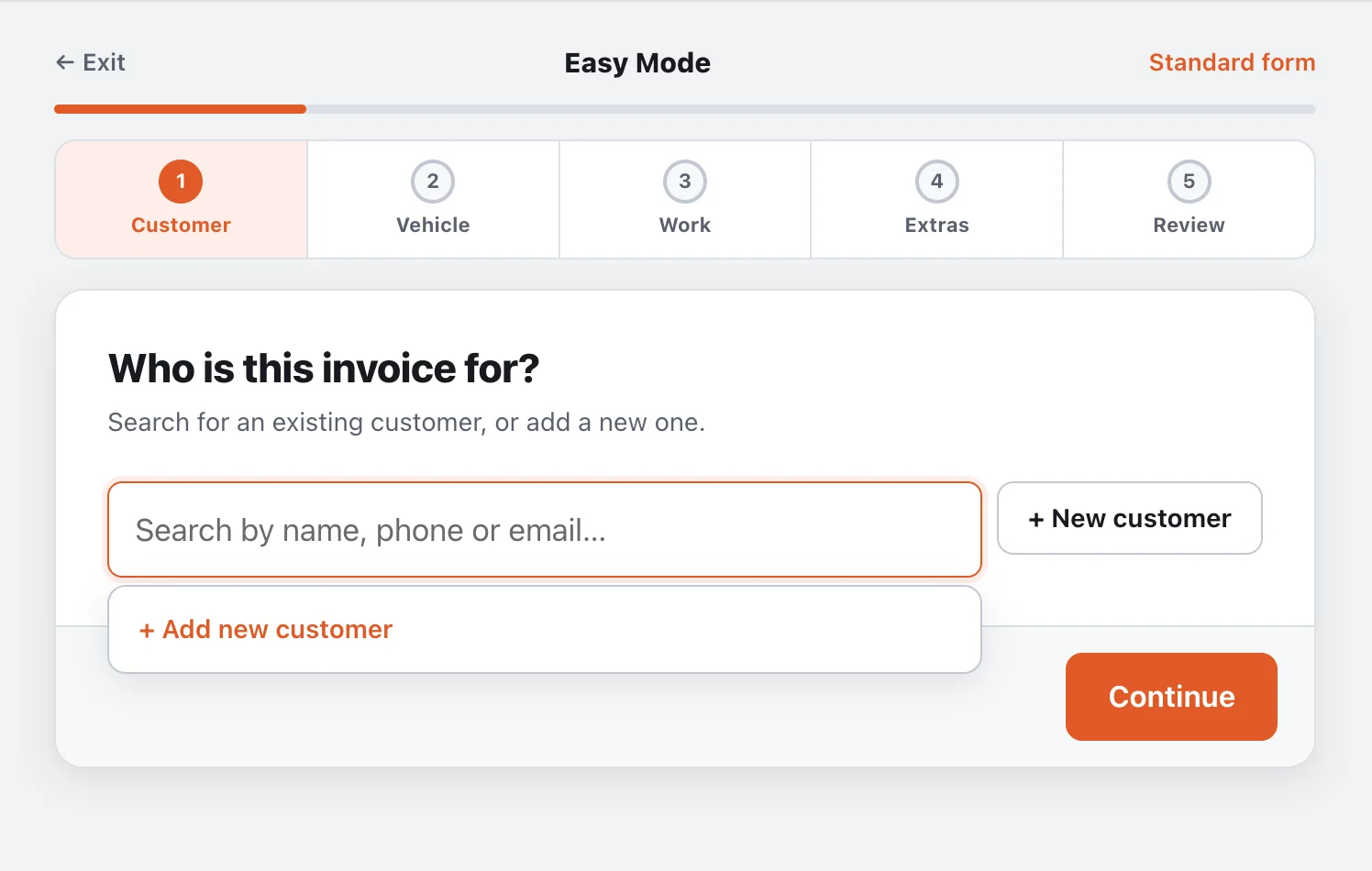
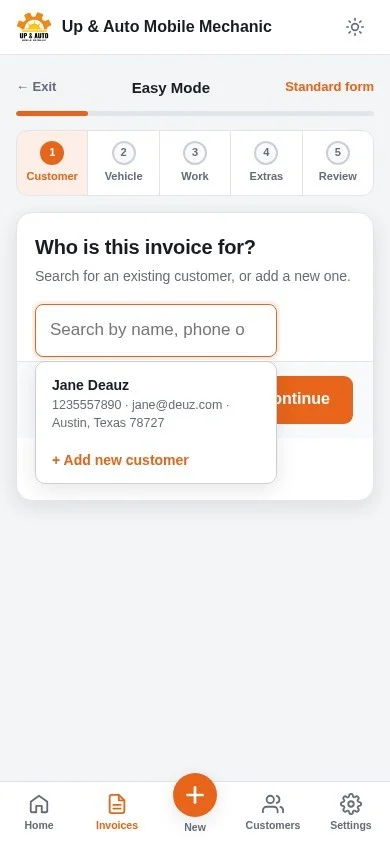
- CustomerSearch by name, phone or email, or add someone new. The address field autocompletes.
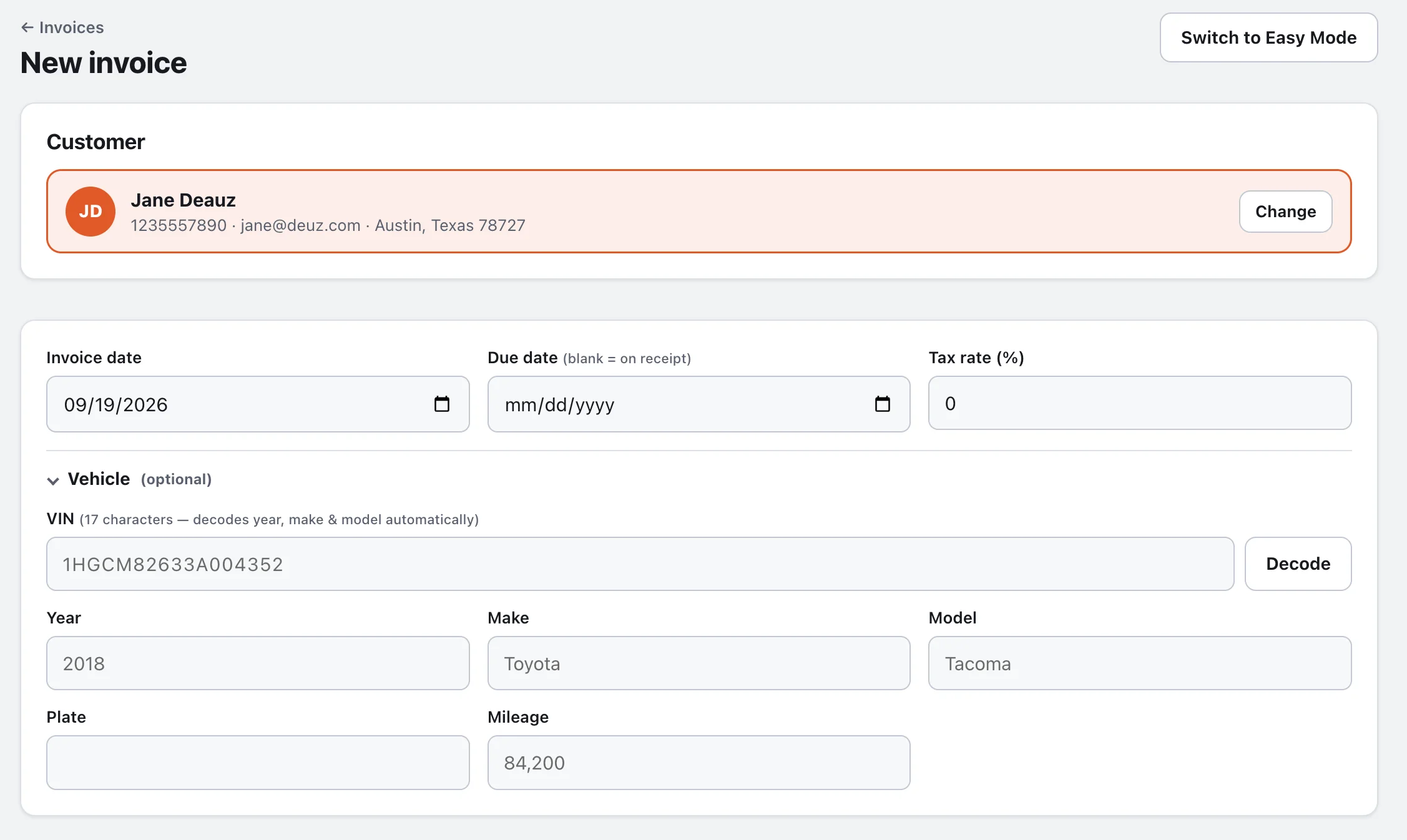
- VehicleType or scan the VIN and the year, make and model fill themselves in. Optional — skip it for non-auto work.
- WorkAdd parts and services one at a time with quantity, rate and an optional per-line discount. A running total follows you.
- ExtrasWhole-invoice discount, tax, a start amount, badges and notes — all optional.
- ReviewEverything on one screen. Tap any section to go back. Save, and you're looking at the finished invoice.
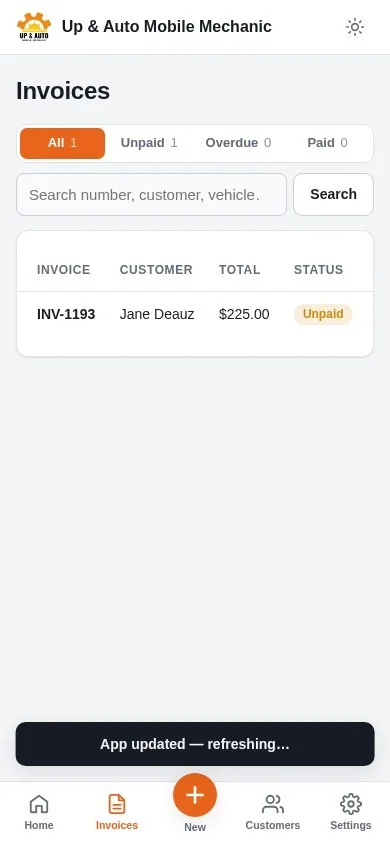
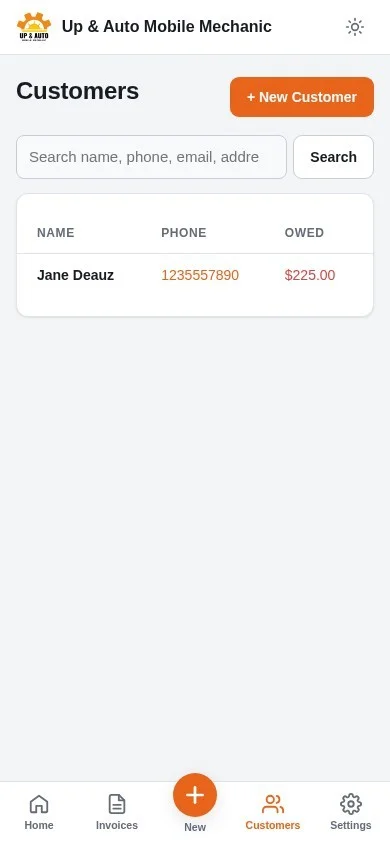
Prefer a full form? The standard editor has everything on one page, and you can switch between the two any time.
A document your customer takes seriously.
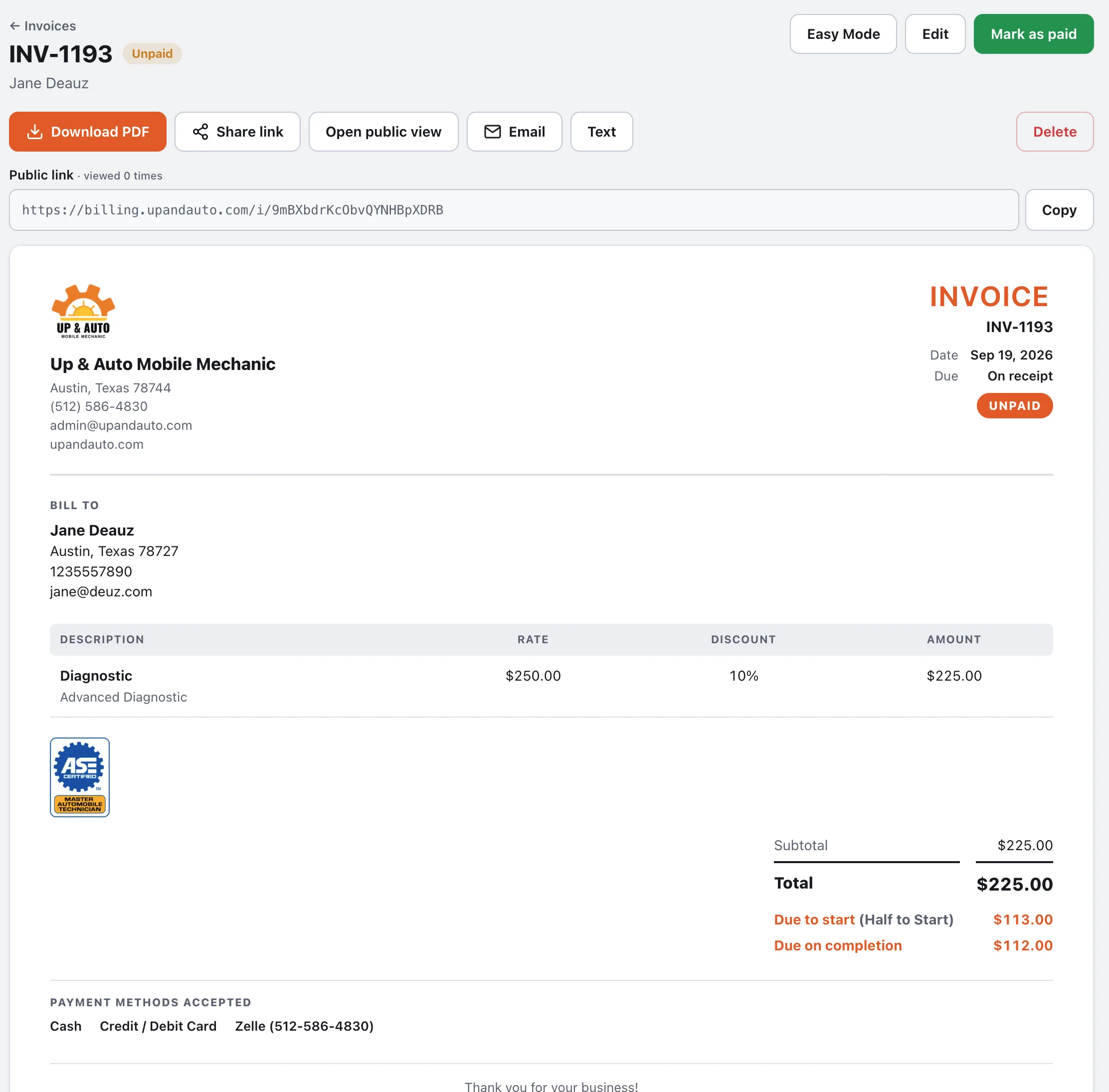
Your logo, your badges, clean totals, and the payment details right where people look for them. Every invoice has a shareable link, a real PDF, and a paid stamp when it's done.
Line items that do the math
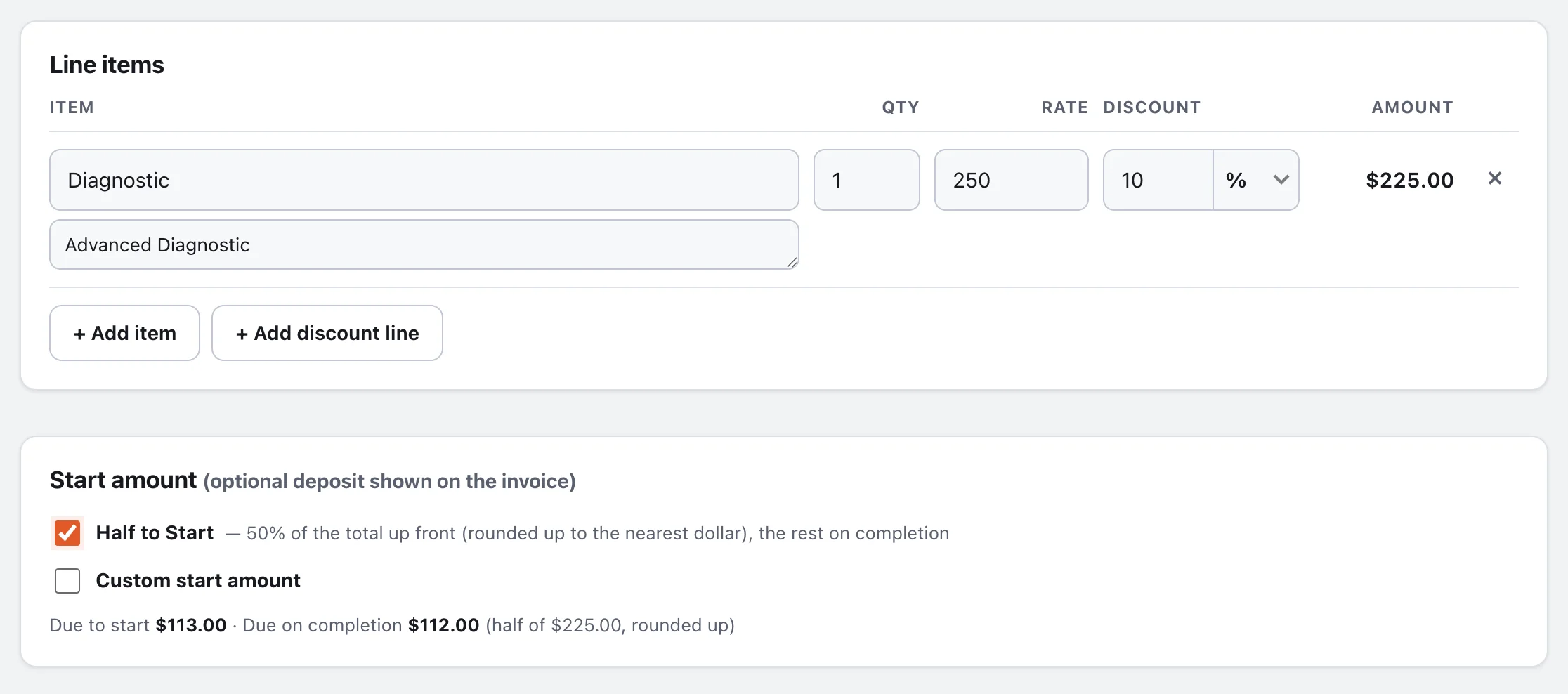
Quantity, rate, and a discount per line in % or dollars. Add discount lines for the whole invoice. Tax is applied after discounts. When every quantity is 1, the Qty column quietly disappears.
Half to Start
One checkbox shows a 50% deposit (rounded up to the dollar) and the balance due on completion. Or type a custom start amount.
Badges and saved notes
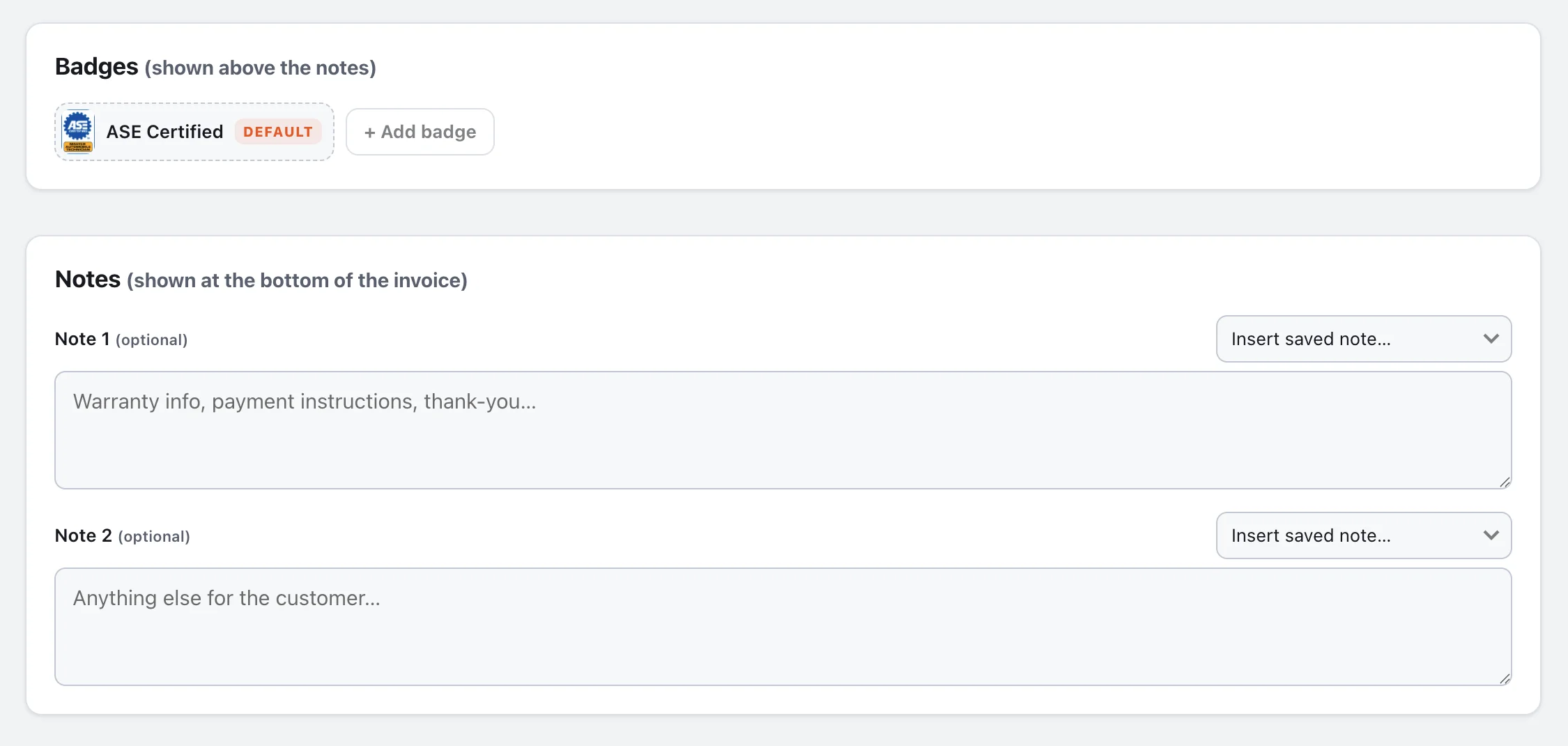
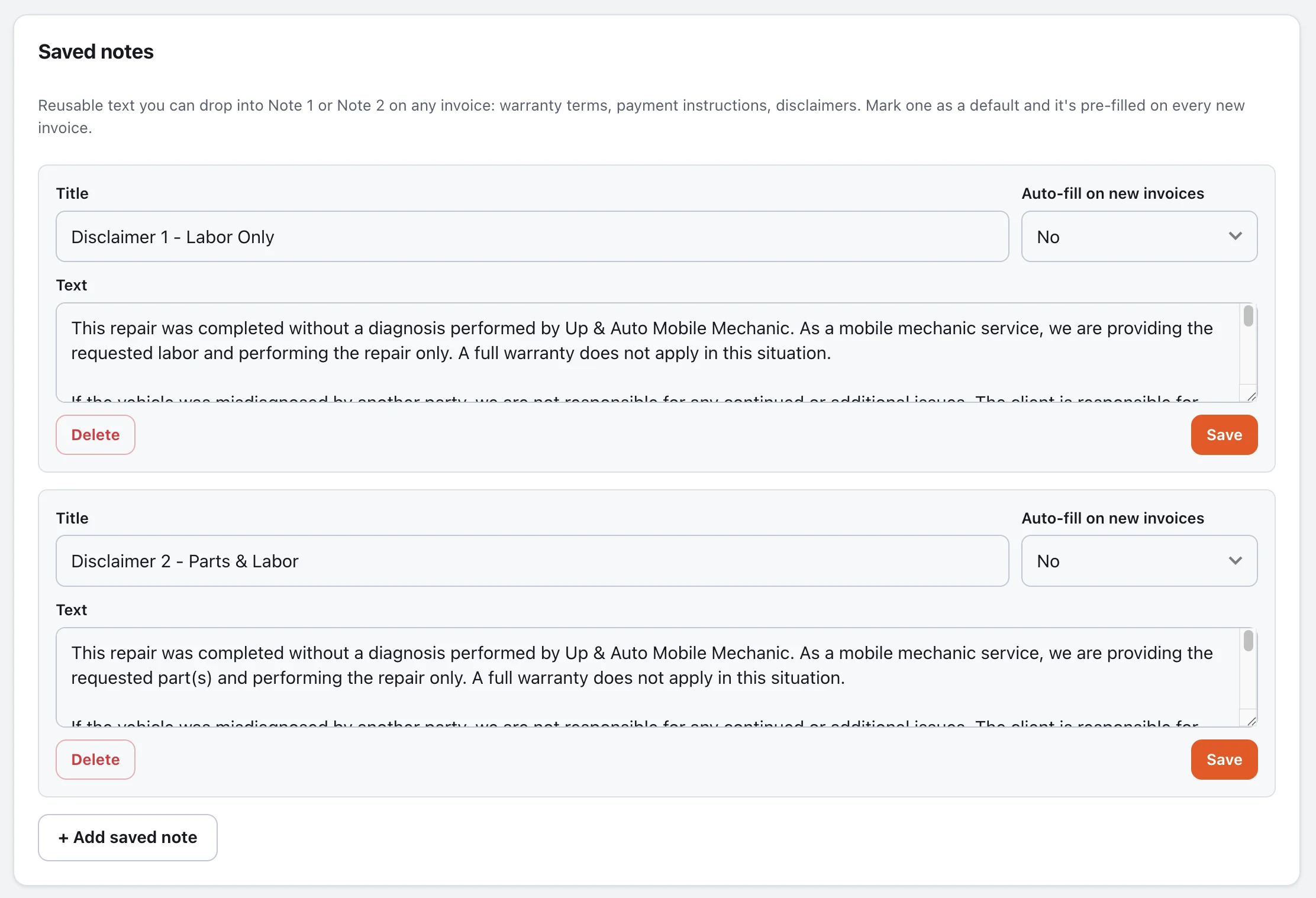
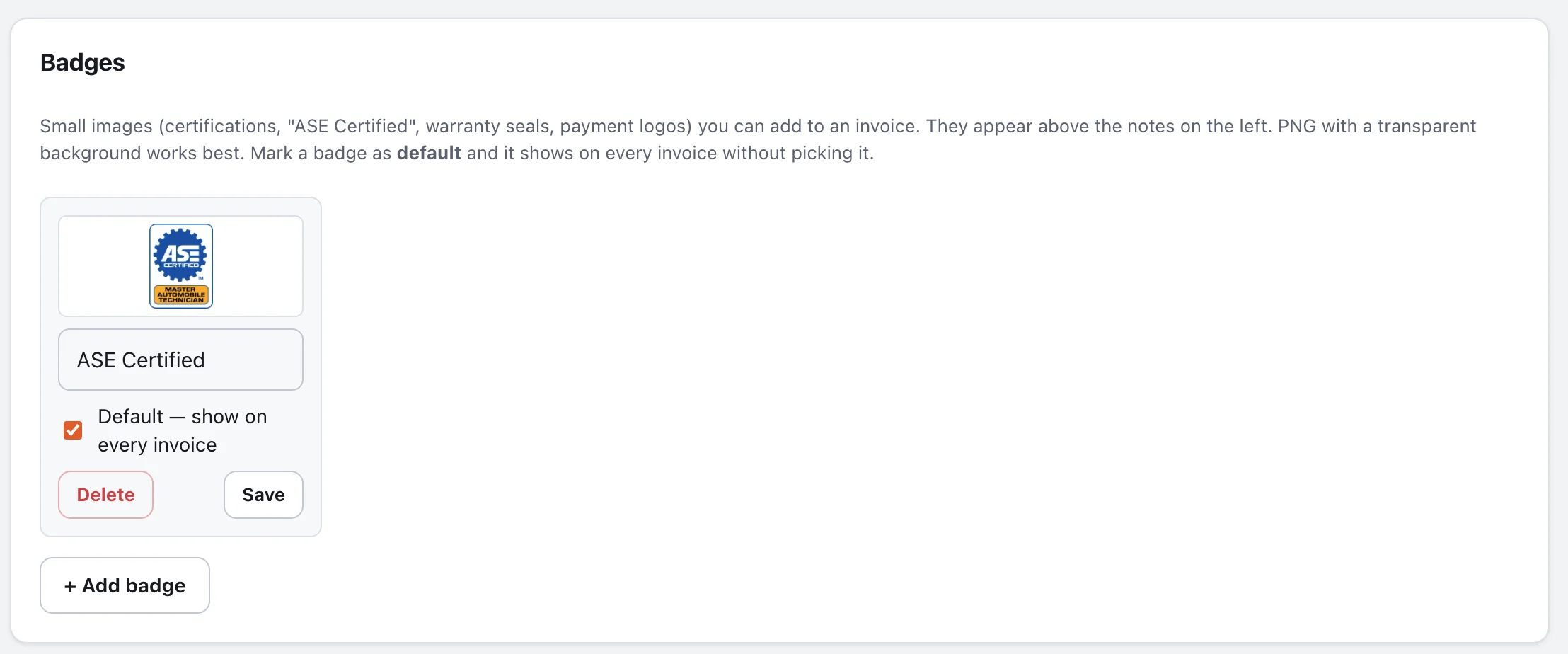
Upload certification and warranty badges once, mark your favorites as default, and they appear on every invoice. Keep reusable notes — warranty terms, payment instructions — and drop them in from a menu.
PDF, link, email, text
A real PDF is generated on the server. The public link works without a login and counts views. Email sends from your own address with the PDF attached, after a quick confirmation.
The best time to get paid is right now.
Send the link while you're still on site. The customer opens it on their phone, sees a clear total, and taps Pay. Card payments run through Stripe, and the invoice marks itself paid the moment the money moves.
Pay now, by card
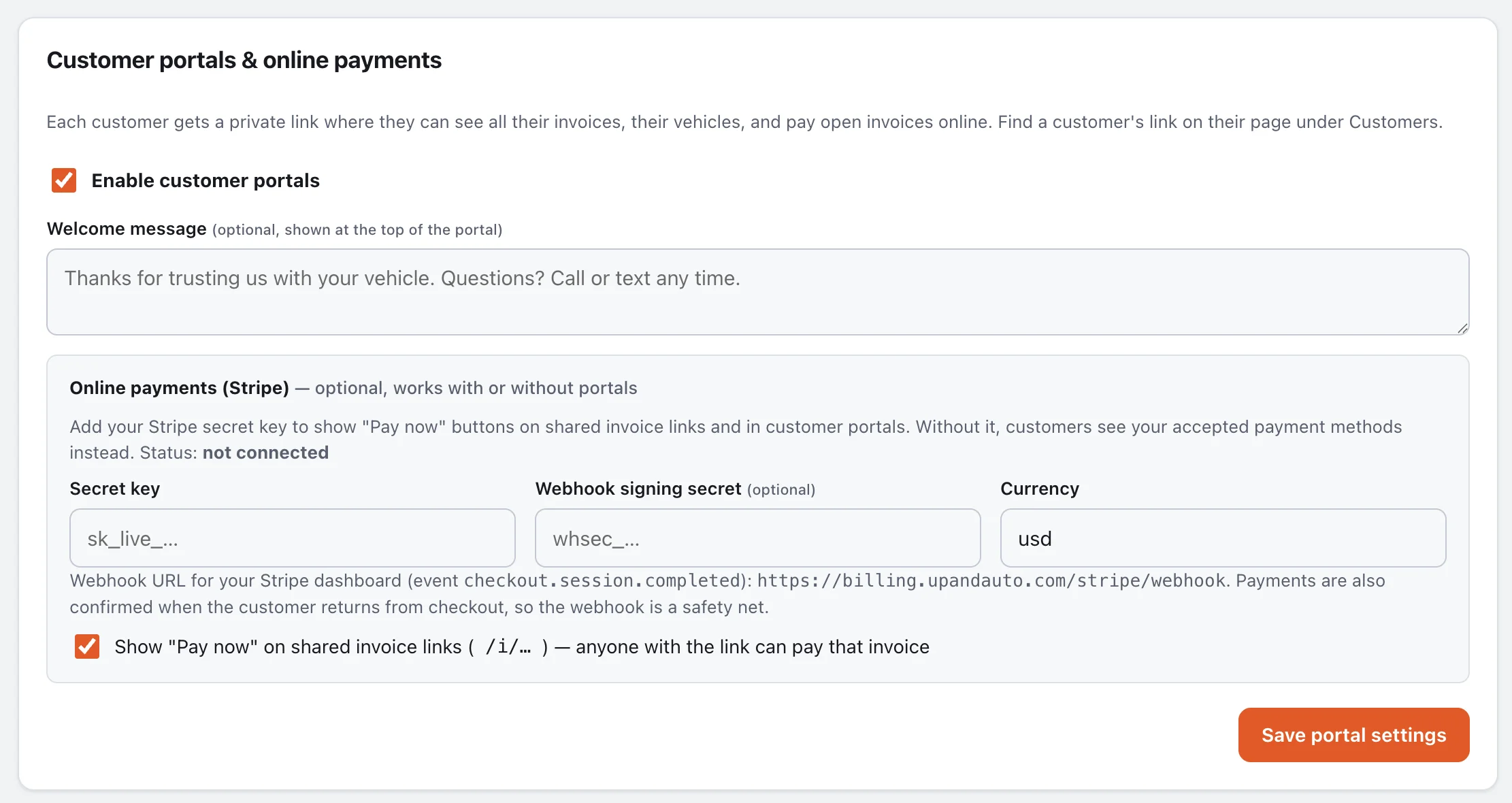
Connect Stripe with one key. Unpaid invoices get a Pay button on the shared link and in the customer portal. Confirmed on return, backed up by a webhook.
Text it, email it, share it
Every invoice has a public link. Send it by text or email straight from the invoice, or use your phone's share sheet. See how many times it's been viewed.
Cash, check, Zelle, Venmo…
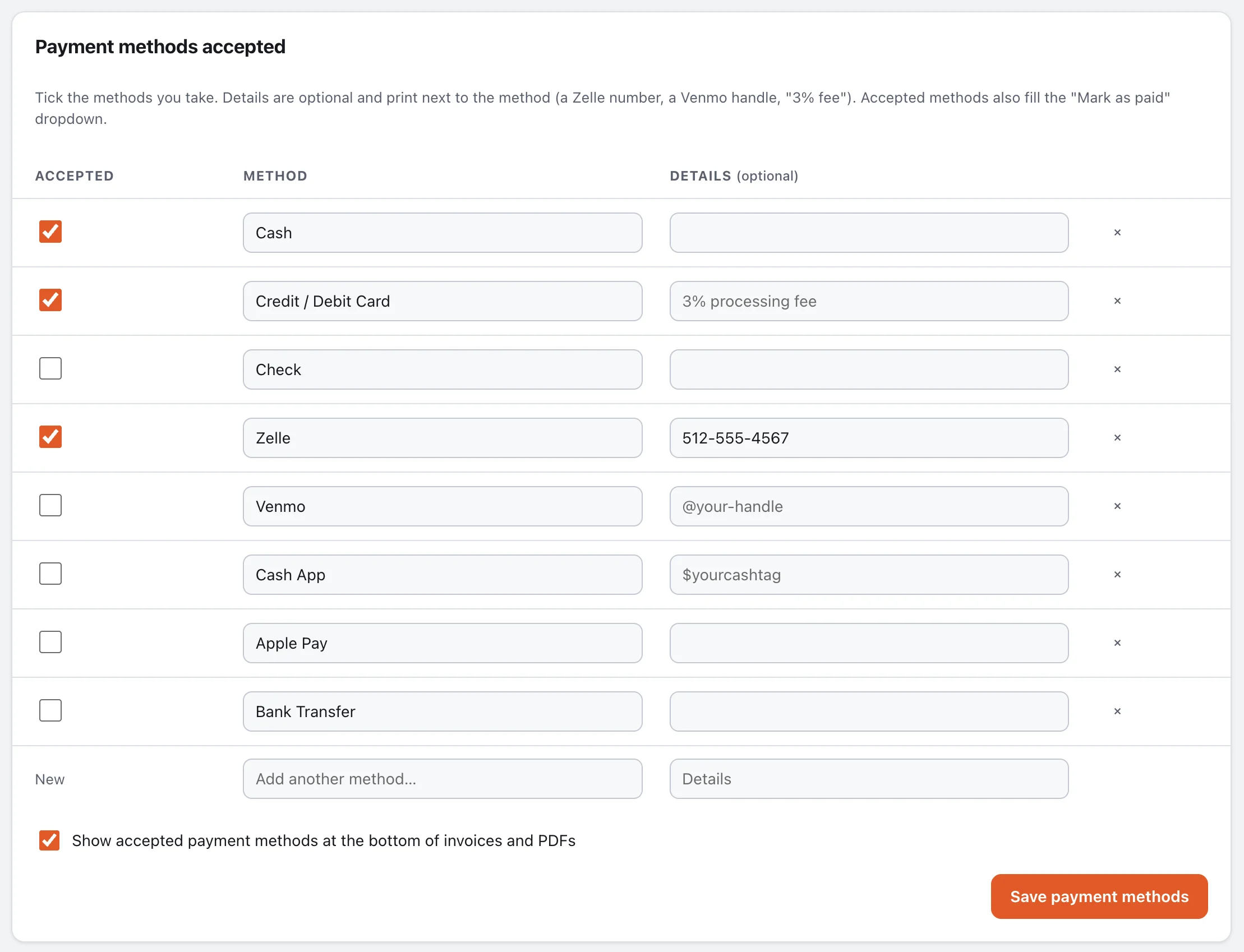
List the payment methods you accept, with details like your Zelle number. They print on every invoice, and the same list fills the Mark-as-paid dropdown.
Ask for the review while they're happy
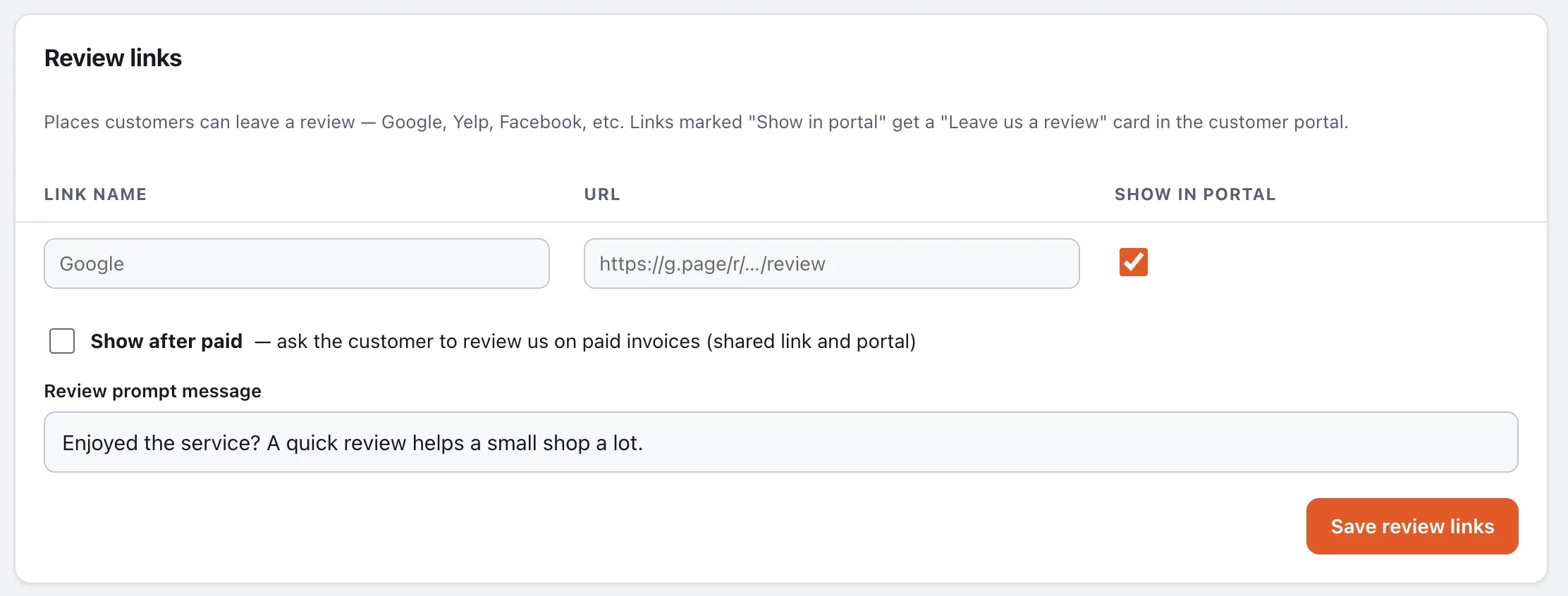
Add your Google, Yelp or Facebook review links. The moment an invoice is paid, the customer sees a friendly "How did we do?" with one-tap buttons.
Every customer gets their own page.
Flip one switch and each customer gets a private link — no password — with their balance, every invoice, their vehicles, and a place to send you photos, videos and paperwork.
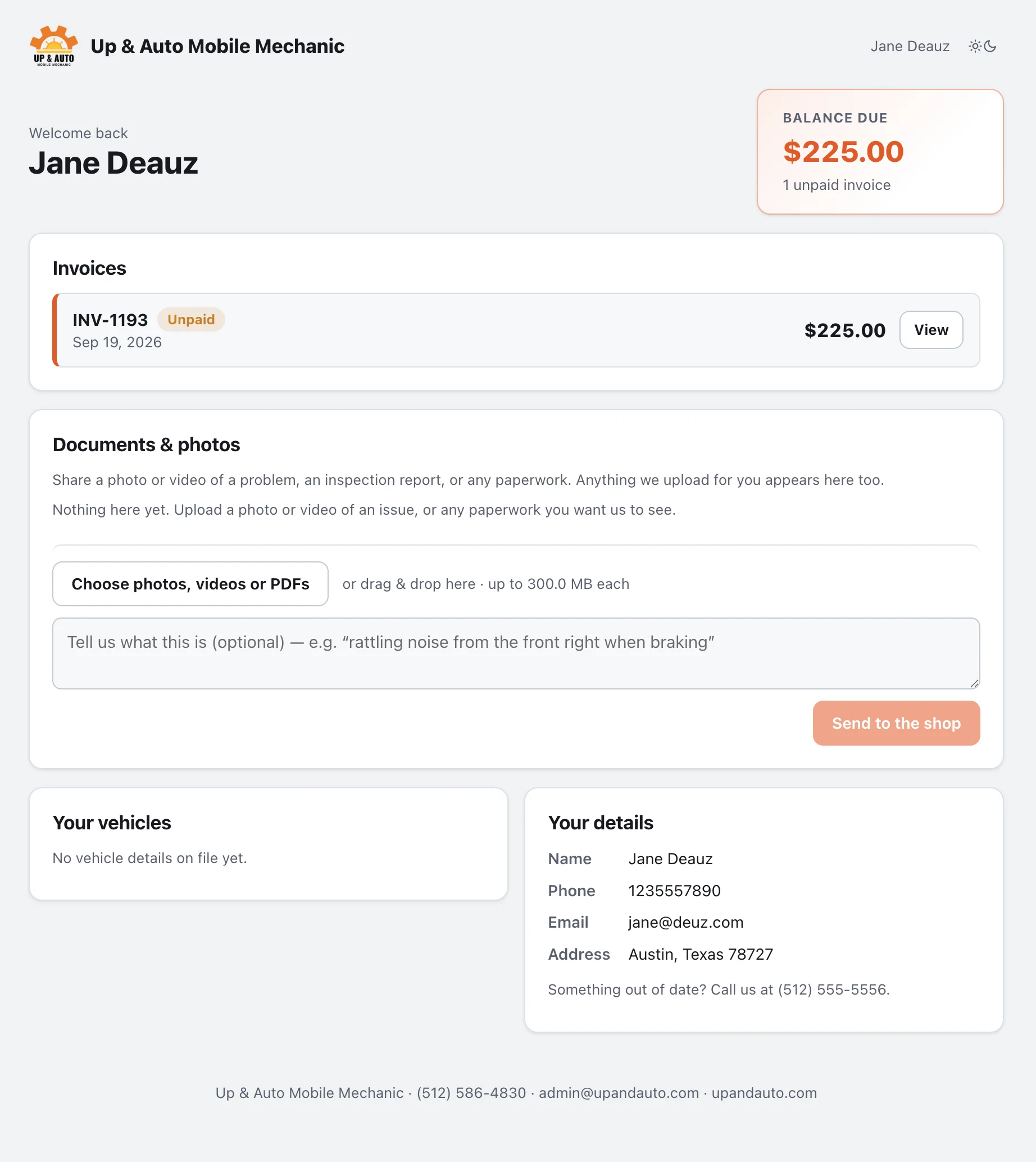
Balance and history at a glance
Unpaid invoices first, with a Pay button when Stripe is on. Paid ones stay for their records, PDF included.
Their vehicles, remembered
Every vehicle you've invoiced, deduplicated by VIN or plate, with the latest mileage and a link to the last visit.
Photos, videos and documents both ways
Customers can upload a video of the noise or a photo of the leak, with a note. You can upload inspection reports and estimates for them. Big files upload in chunks so they work on shaky signal.
Reviews and contact
Your review links and accepted payment methods sit on the portal too, along with a way to reach you.
Less typing. Fewer mistakes.
Addresses autocomplete as you type. A VIN decodes into year, make, model, trim and engine automatically. Customers are matched by phone or email so you never end up with three Janes.
VIN first
Type or scan 17 characters and the vehicle fills itself in from the national database, with a note if the check digit looks off.
Smart addresses
Start typing a street and pick the match. City, state and ZIP fill in. No API key to set up.
Team notes with media
Every invoice has a private comment thread for your team — stamped with who wrote it — where you can attach photos and videos of the job. Customers never see it.
One page per customer
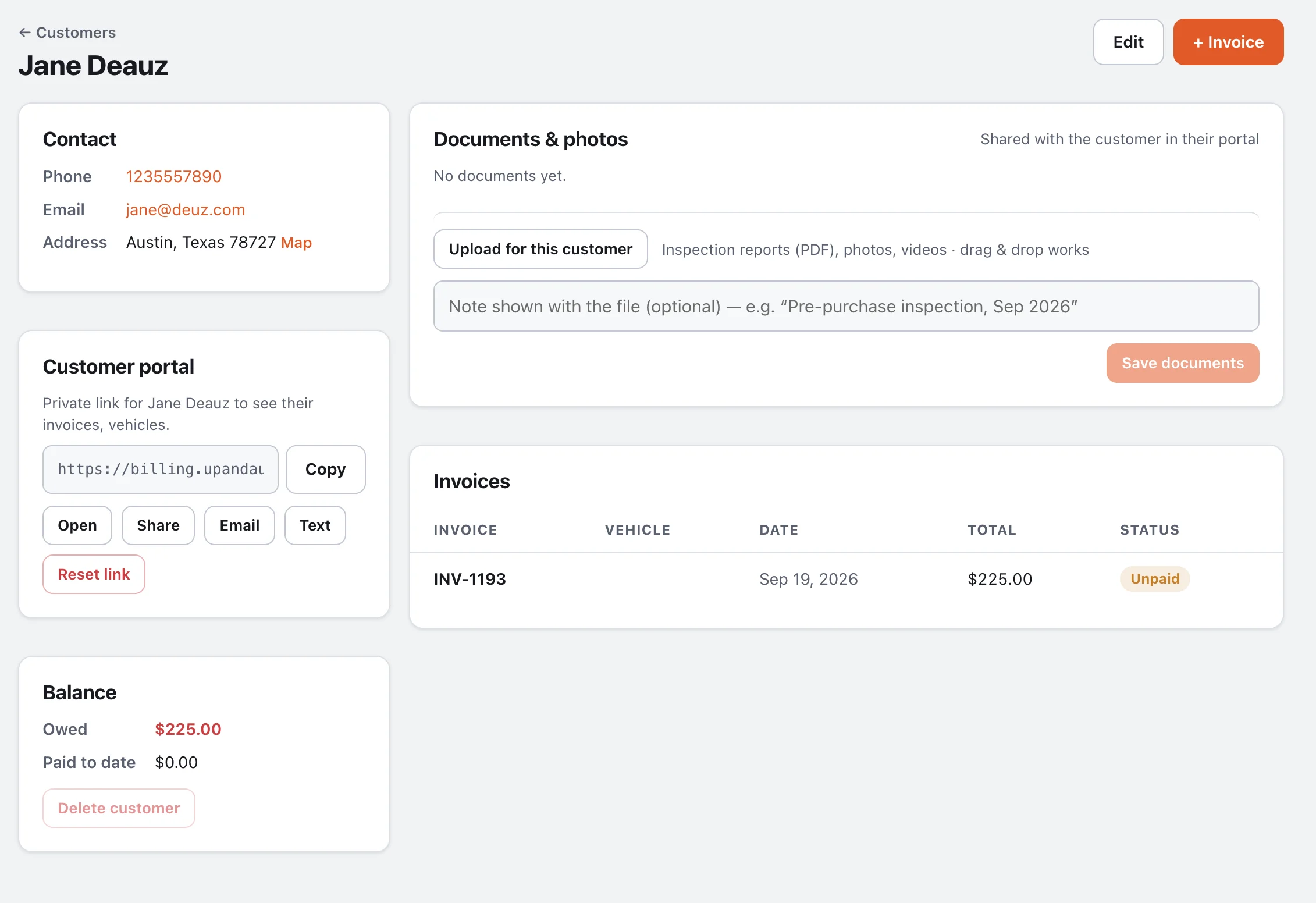
Contact details with a map link, their portal link with copy, share, email and text buttons, balance owed, shared documents, and every invoice.
Small enough to learn in an afternoon. Complete enough to run on.
Team accounts
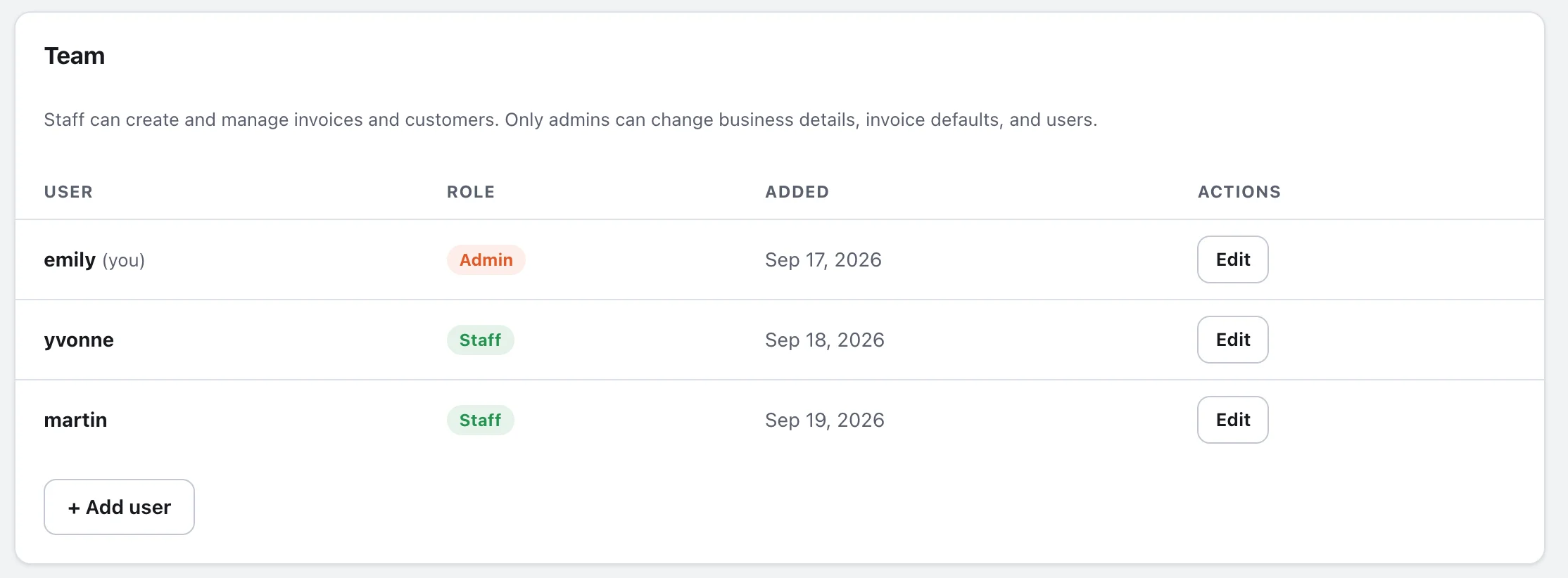
Add staff who can create and manage invoices but can't touch business settings. Admins keep control. Generate a one-time sign-in link to get someone onto their phone in seconds.
Dark mode
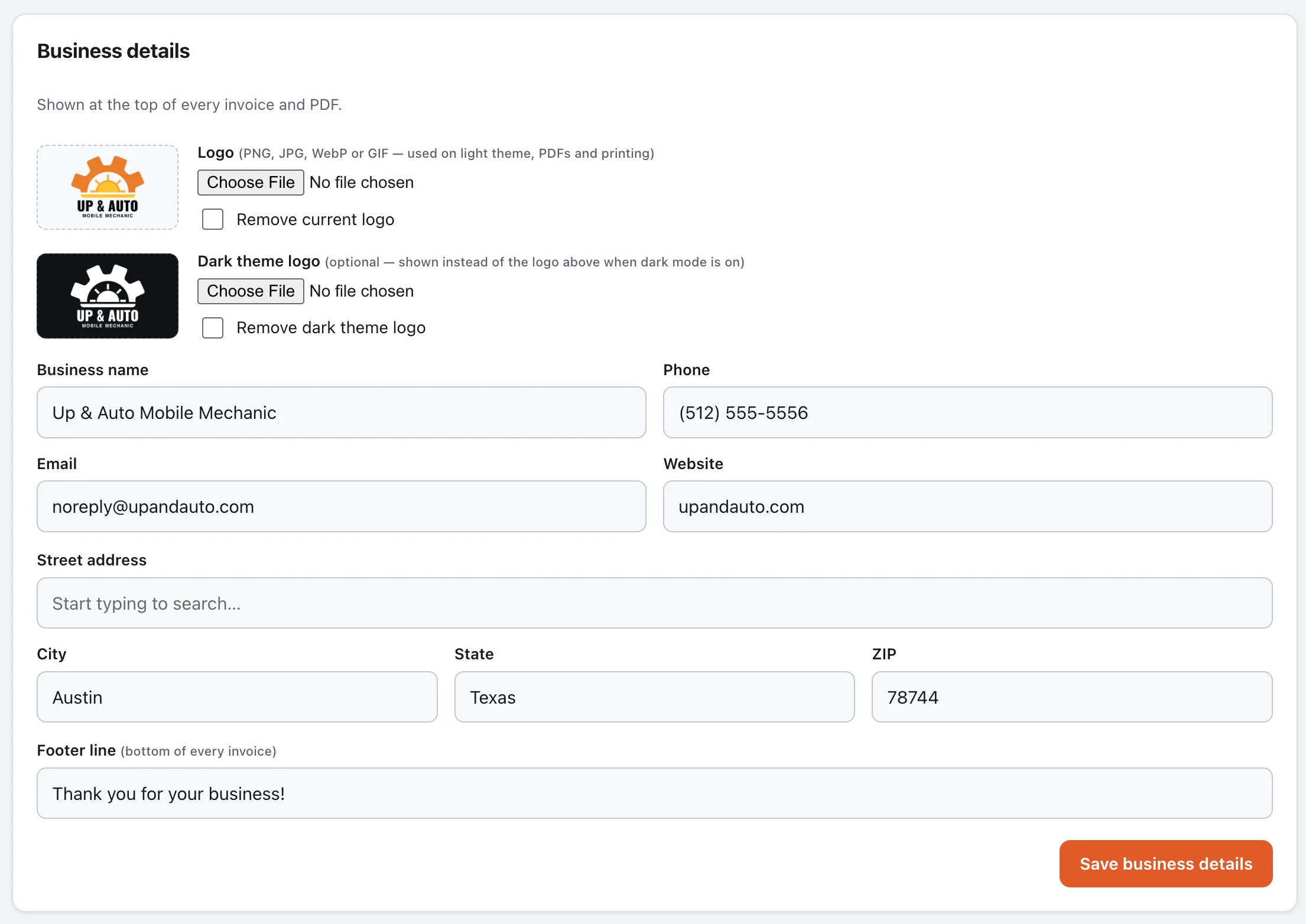
Light and dark themes throughout, including the customer-facing pages, with a separate logo for dark backgrounds so yours always looks right.
Installs like an app
Add it to your home screen on iPhone or Android. It opens full-screen, uses your logo as the icon, and keeps recent pages available offline.
Email that comes from you
Plug in your own SMTP details — Google Workspace, Microsoft 365, or your host — and invoices go out from your address, PDF attached, after a confirmation.
API for your lead forms
Turn a web lead into a customer and a draft invoice in one call. The reply includes a link that opens Easy Mode already filled in — and can sign the mechanic in on the way.
Your data, your server
Runs on ordinary PHP hosting with a single database file. Attachments stay private behind a login. Nothing is shared with anyone you didn't choose.
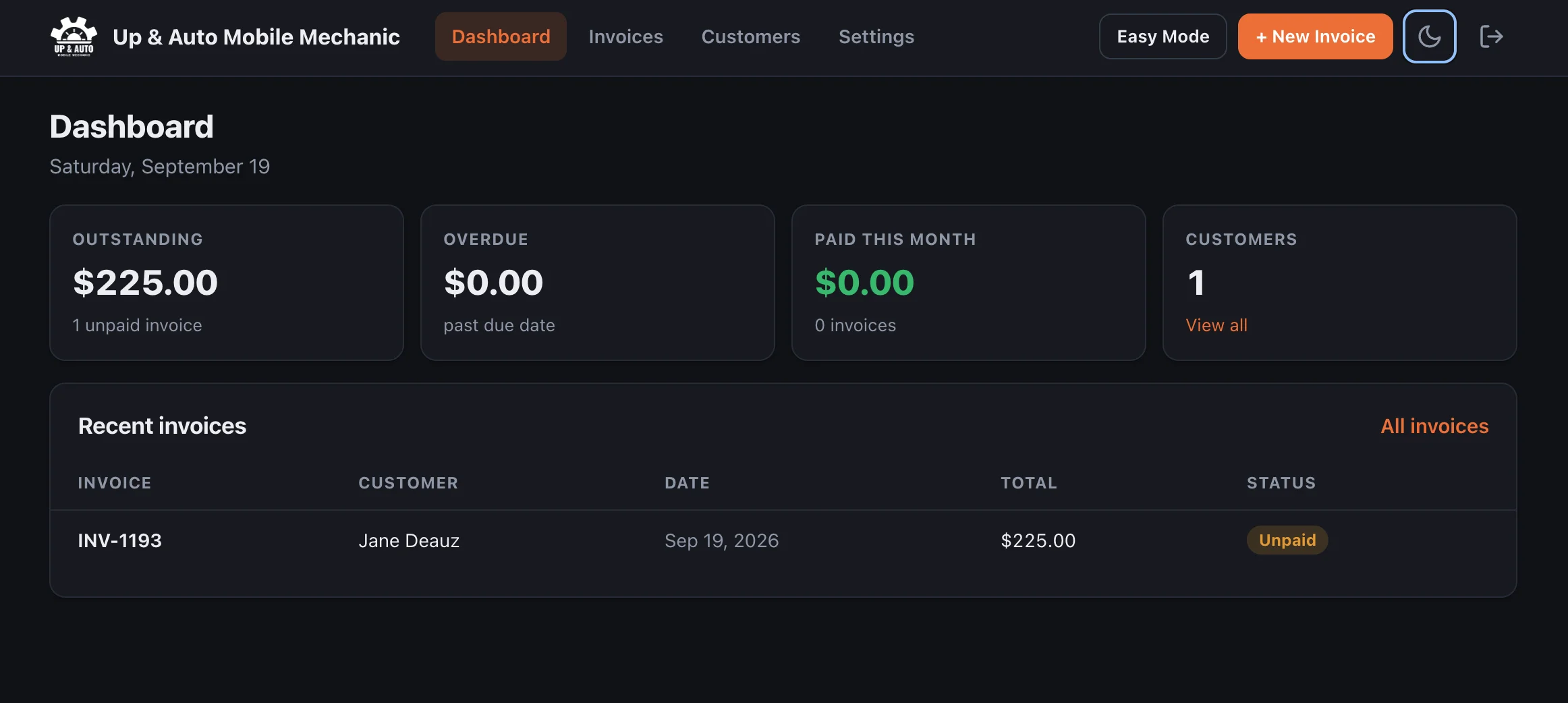
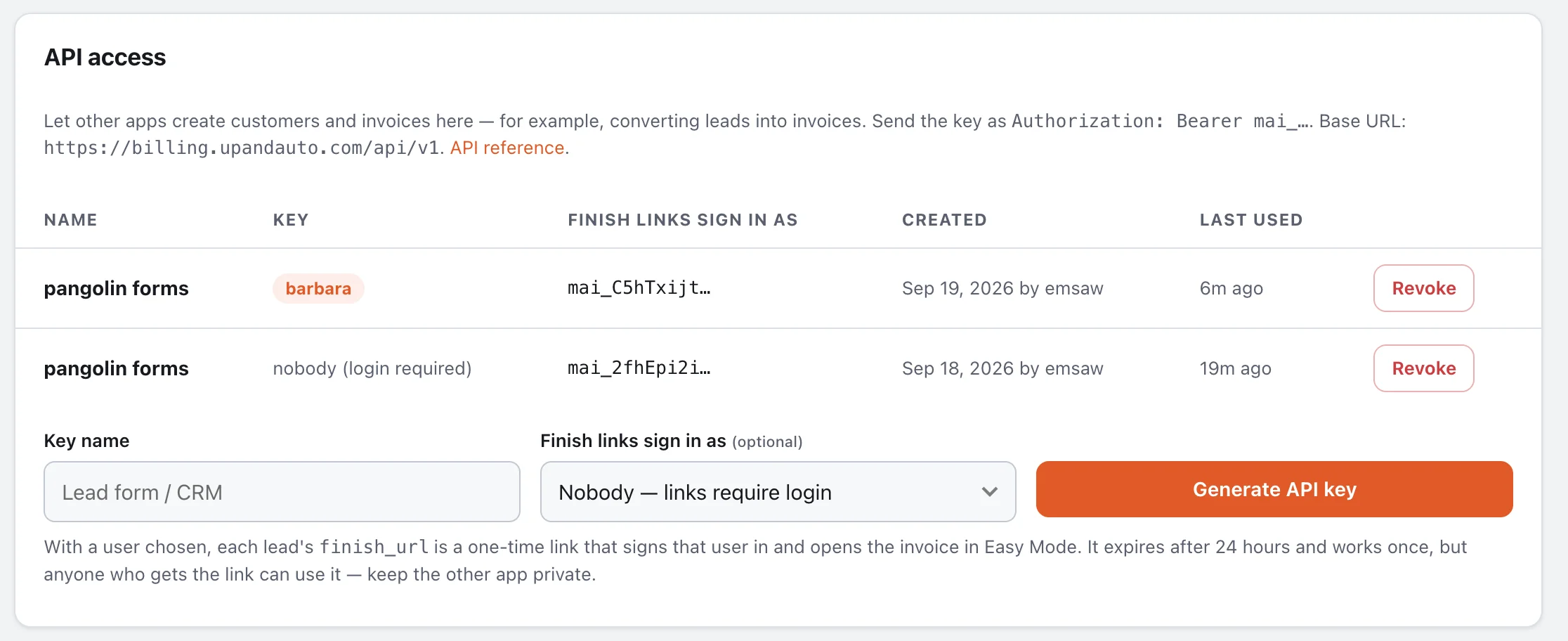
Here's exactly what you're getting.
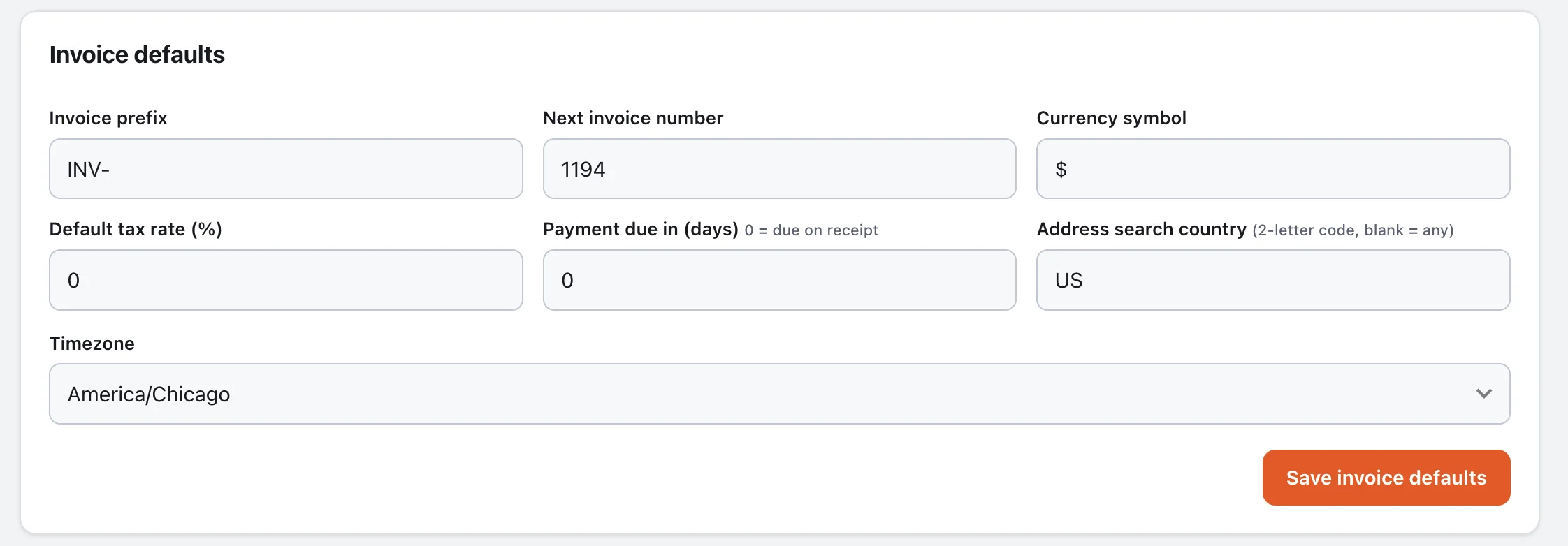
No hidden menus, no "contact sales to see it". These are the actual settings screens. Tap any one to enlarge.
Everything inside Invoice Sidekick
Invoicing
- Easy Mode wizard and a standard editor
- Line items with qty, rate, % or $ discounts
- Whole-invoice discount lines
- Tax applied after discounts
- Half to Start or custom start amount
- Two note slots with saved notes
- Badges, with defaults on every invoice
- Automatic invoice numbering and prefix
- Due dates or "on receipt"
- Paid, unpaid and overdue status
- Server-generated PDF
- Public link with view counts
- Email with PDF, after confirmation
- Text and share-sheet sending
- Edit any invoice in Easy Mode
Getting paid
- Stripe card payments on shared links
- Pay now in the customer portal
- Automatic paid status via return and webhook
- Accepted payment methods on the invoice
- Mark as paid with method and note
- Review prompt after payment
- Review links in the portal
Customers
- Address autocomplete
- VIN decoding via NHTSA
- Vehicles remembered per customer
- Duplicate matching by phone or email
- Balance owed and paid to date
- Documents and photos, shared both ways
Running the business
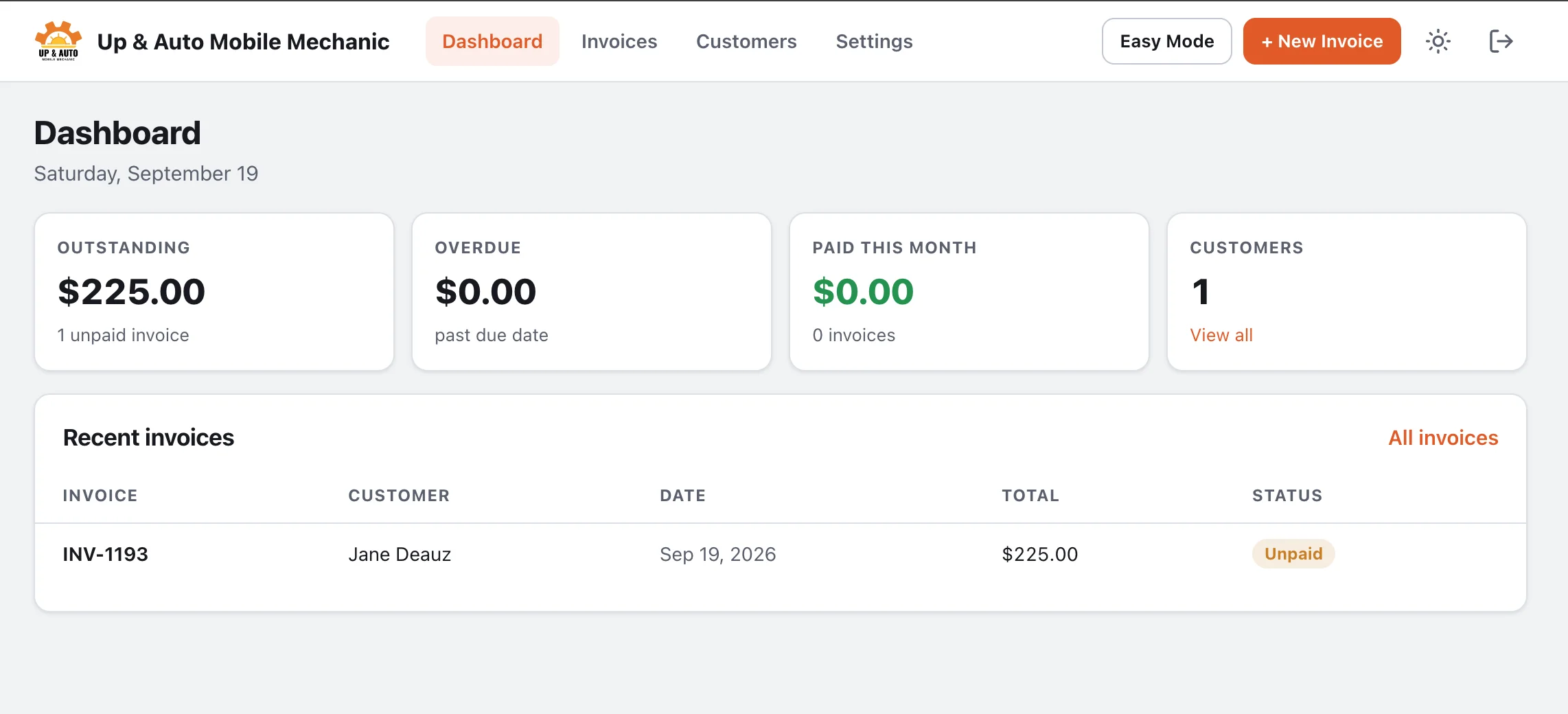
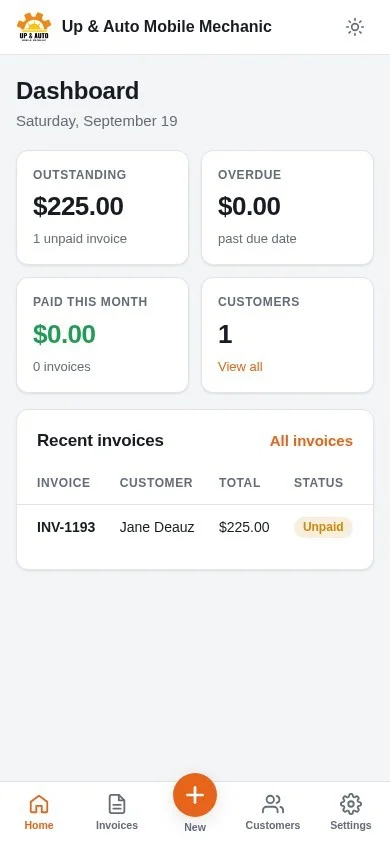
- Dashboard: outstanding, overdue, paid this month
- Search and filter invoices
- Team comments with photo and video
- Admin and staff roles
- One-time sign-in links
- Light and dark themes, dark-mode logo
- Installable app with offline pages
- Your own SMTP for email
Integrations
- REST API with per-app keys
- Leads → customer + draft invoice
- Finish links that sign the mechanic in
- Customer, invoice and VIN endpoints
- Stripe webhook receiver

Stop chasing. Start collecting.
Invoice while you're still on site, and make paying a single tap.